Skanlio
Skanlio icon

Scan, read and listen

Documents, receipts and books turn into searchable text that can be read aloud and summarized. LiDAR flattens curved book pages – and everything happens on your phone, with no cloud, account or watermarks.

For iPhone and iPad. Book mode with page flattening requires a device with LiDAR (Pro models).

Text to Speech

Listen to books, letters and notes

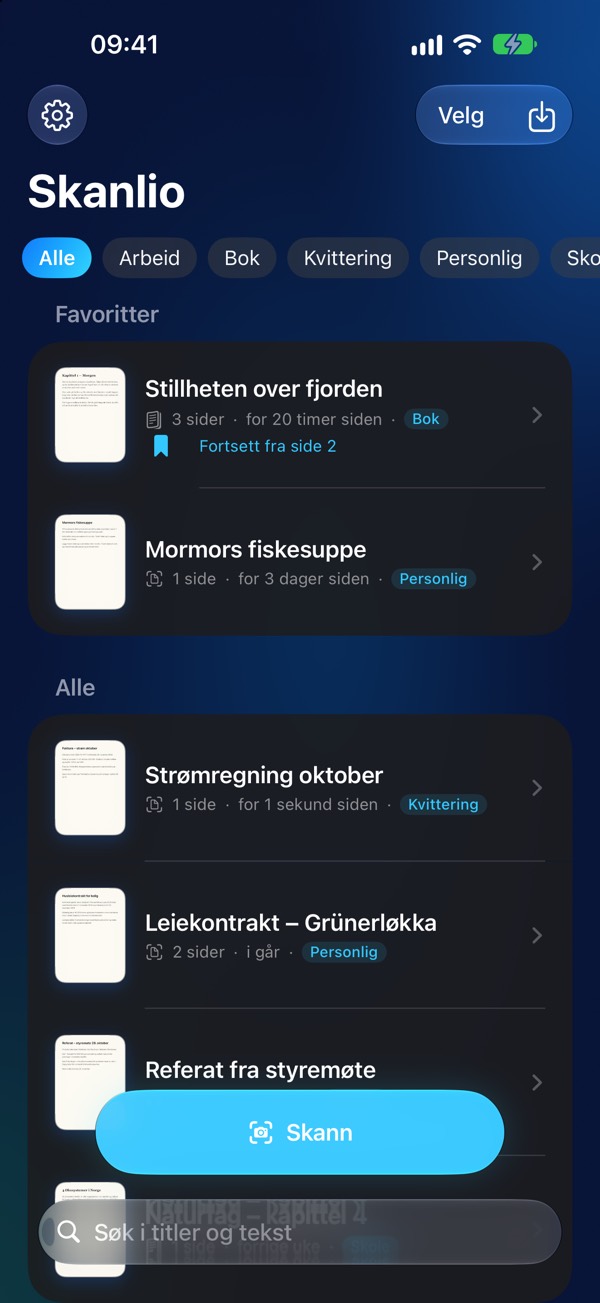
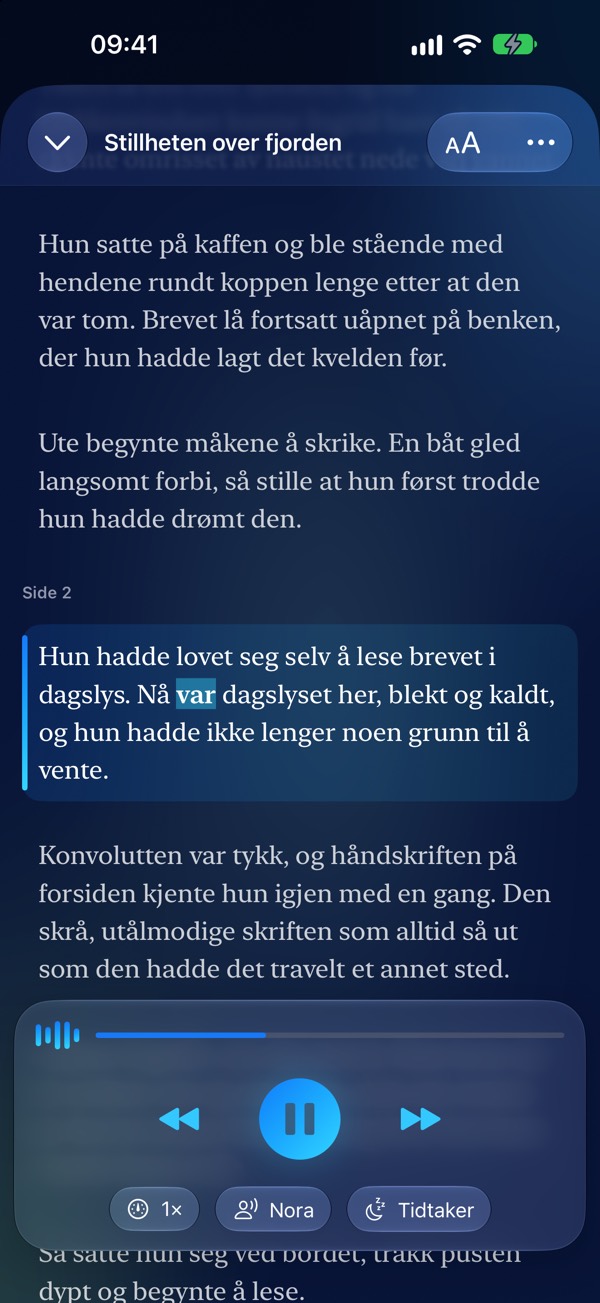
Skanlio reads aloud with natural voices in the right language and highlights each word as it is spoken. It remembers where you stopped in every document, so you can resume anytime.

  • Natural voices, including “Premium” and your Personal Voice
  • Sleep timer and lock-screen playback controls
  • Jump to any paragraph with a single tap
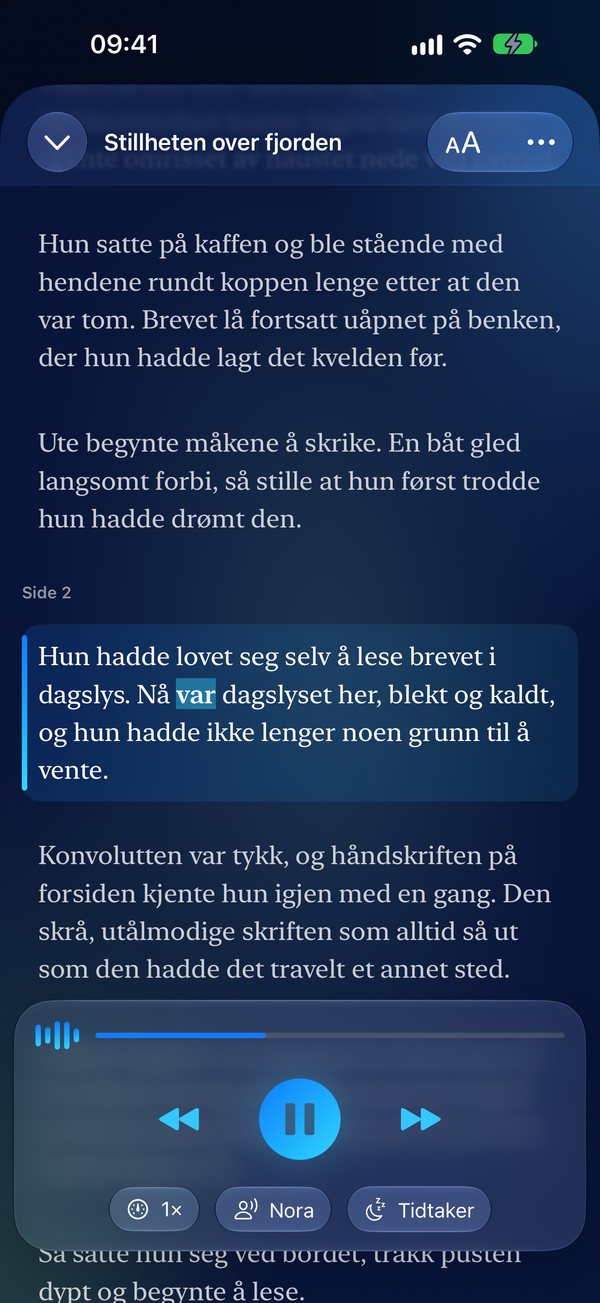
Read-aloud with word-by-word highlighting
AI Summary

The key points in seconds

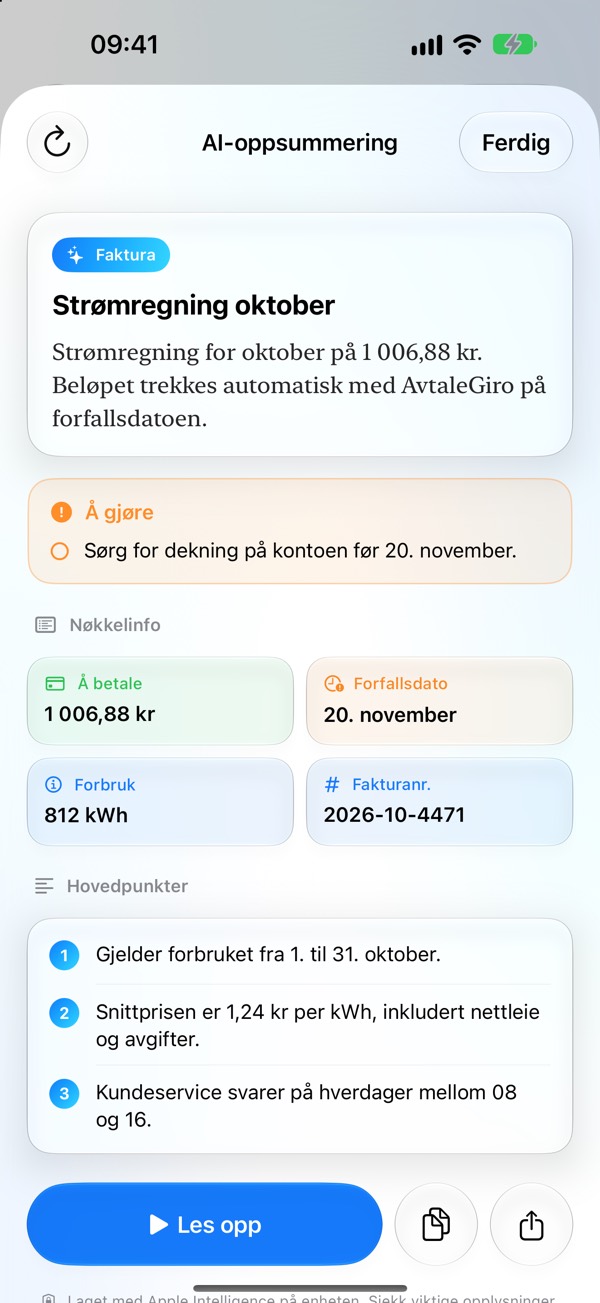
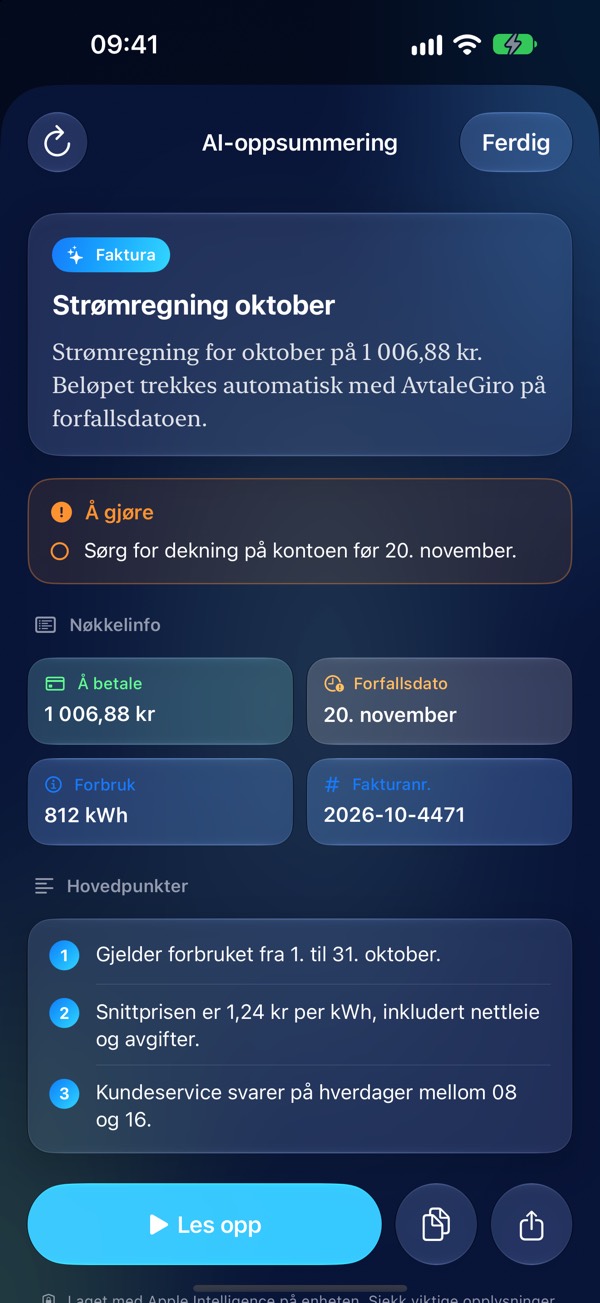
Get document type, deadlines, amounts and required action items in one clean view. Apple Intelligence runs on-device, so your text never leaves your phone.

  • Deadlines and amounts extracted as dedicated points
  • “Action items” highlighted whenever a letter requires action
  • Read aloud, copy or share the summary
On-device AI summary with deadline, amount and action items
Receipts & Expenses

Snap the receipt. File the expense.

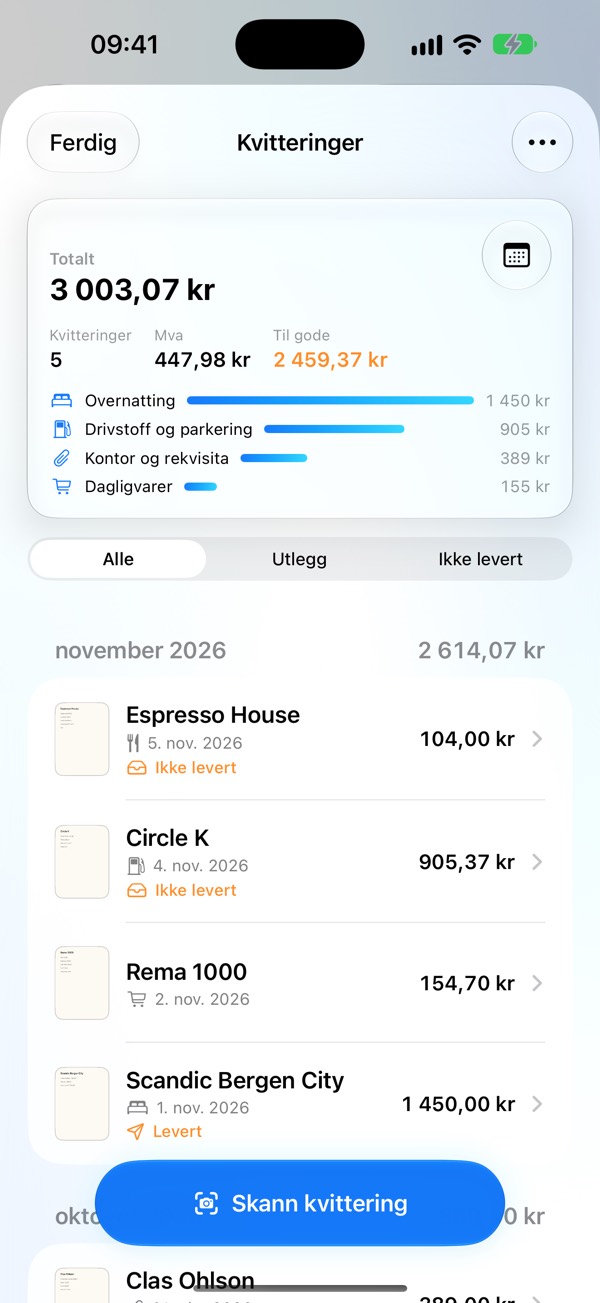
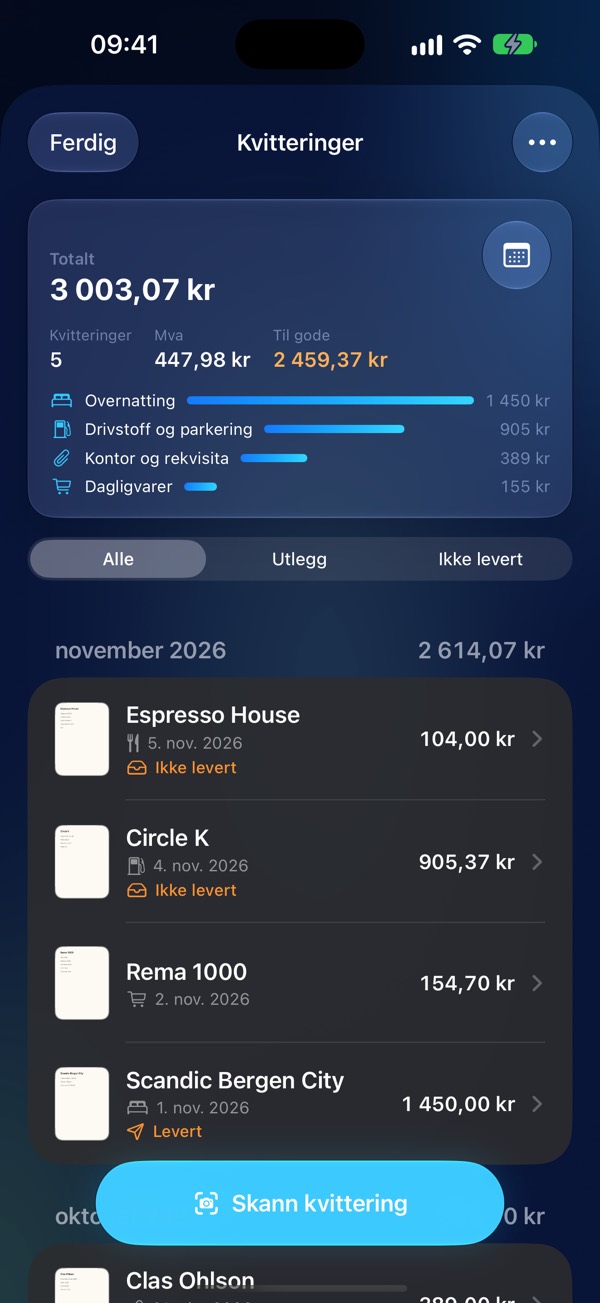
Store, date, total amount and VAT are extracted automatically. Bundle expenses into a neat PDF report for your employer, or forward vouchers straight to accounting.

  • Expense report as PDF with all attached receipts
  • VAT breakdown per period and CSV export for spreadsheets
  • Forward directly to your accounting software via email
Receipts overview with totals, VAT and unreimbursed expenses

Made for everyday life

One app for all your paper – from textbooks to invoices and receipts.

Studies & books

Scan textbooks and novels, flatten curved pages, and listen while walking, exercising or commuting.

At home

Letters, bills and contracts become searchable. The AI summary tells you what needs doing – and by when.

Work & small business

Keep track of receipts, file expenses and send vouchers to accounting without typing anything in.

Designed to fix what other scanners get wrong

Skanlio is built from the ground up for books, receipts and uncompromising privacy.

Curved book pages become flat

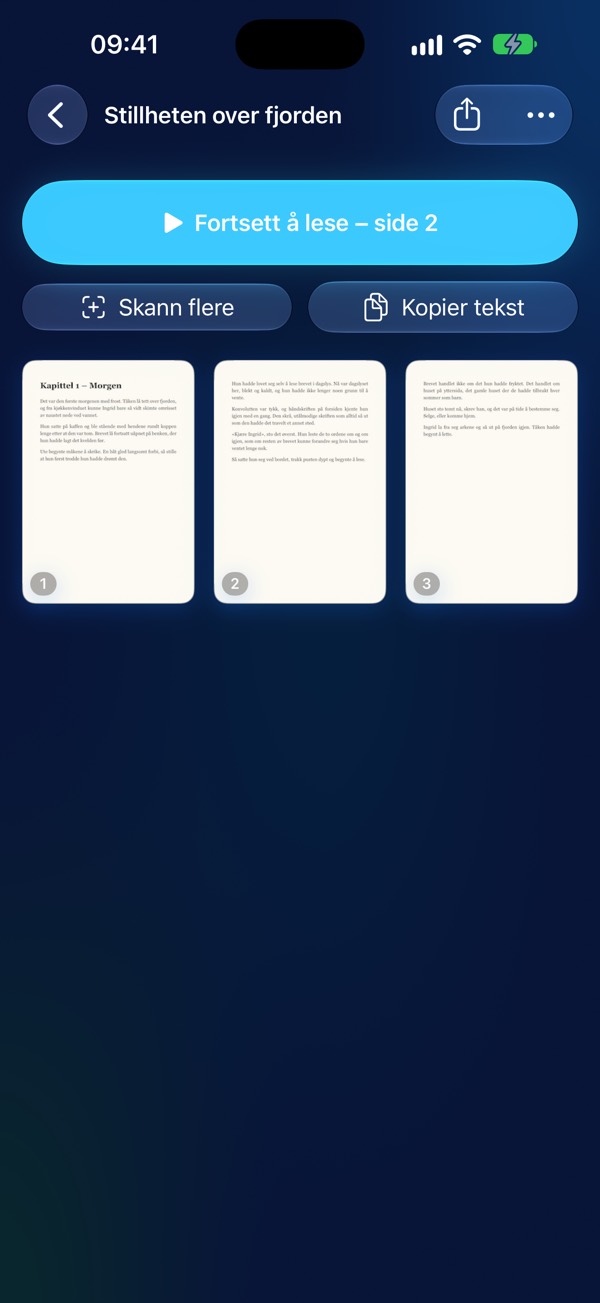
The LiDAR sensor measures the page in 3D and flattens it, making text lines straight and readable – even close to the spine.

Hands-free book scanning

Turn the page – Skanlio snaps the shot automatically when the page is still, and splits spreads into two pages.

Searchable text & PDF without watermark

Text recognition understands columns, paragraphs and lists. Share as searchable PDF, images or plain text.

Everything stays on your device

No account, no cloud and no tracking. Lock the app with Face ID if you want.

Sign and translate

Sign documents right inside the app, and translate pages using Apple’s built-in translation system.

Siri and Shortcuts

“Read latest document in Skanlio” or “Scan with Skanlio” – and pipe extracted text directly into your own shortcuts.

Skanlio compared to common scanners

Common frustrations, and how Skanlio solves them.

Common issueSkanlio
Curved book pages produce warped, unreadable text3D LiDAR dewarping
Text is read across multi-column layoutsUnderstands columns and paragraphs
Non-English text read with wrong-accent voicesSelects voice matching document language
Watermarks and account required to exportNo watermarks, no account needed
Documents uploaded to a third-party cloudEverything processed and saved on device
Audio playback restarts from the beginning every timeRemembers reading position in each document
Receipts have to be typed in by handAmounts, dates and VAT extracted automatically

Free to use. Pro when you want more.

No ads, no watermarks. Pro is available as a monthly or yearly subscription, with Family Sharing included.

Free

  • Unlimited document scanning
  • Text recognition (OCR) and full-text search
  • Searchable PDF export without watermarks
  • Text-to-speech for documents up to 3 pages
  • AI summaries for documents up to 3 pages
  • Receipt scanning with automatic amount and VAT extraction
Skanlio Pro

Everything in Free, plus

  • Book mode with 3D LiDAR dewarping and hands-free auto-capture
  • Listen to and summarize full books and long documents
  • PDF expense reports, CSV export, VAT summaries and accounting export
  • Sleep timer
  • Password-protected PDF and plain-text export
  • Merge documents

Monthly or yearly (with a free trial). Family Sharing is included.

Frequently asked questions

Can't find your answer? Send us a message or write to hello@skanlio.app.

Are my documents uploaded anywhere?

No. Scanning, text recognition and text-to-speech happen on your device, and documents are only stored inside the app. Read more in our privacy policy.

Which devices support 3D page dewarping?

Dewarping uses the LiDAR sensor available on iPhone Pro and iPad Pro models. On other devices, pages are perspective-corrected but not dewarped in 3D.

Can Skanlio read using the Siri voice?

Apple does not give apps access to Siri voices. Skanlio uses the highest quality system voices (“Premium” and “Enhanced”) and your Personal Voice if you've created one. Download more voices under Settings › Accessibility › Spoken Content › Voices.

Does on-device AI summary need an internet connection?

No. Summaries are generated by Apple Intelligence on the device, and your text is never sent anywhere. It requires an iPhone or iPad that supports Apple Intelligence, such as iPhone 15 Pro, iPhone 16 or newer.

How do I send receipts to accounting?

Most accounting tools provide a dedicated email address for receipt vouchers. Add it under Settings › Receipts and Expenses in Skanlio, and you can forward receipt PDFs directly from Apple Mail.

Can I use Skanlio for bookkeeping?

Skanlio helps you collect, sort and send receipts, but is not accounting software. Always verify figures against your accounting system, and adhere to local receipt retention regulations.

How do I restore Pro on a new phone?

Open Settings in Skanlio and tap “Restore Purchases”. The purchase is tied to your Apple ID.

How do I cancel a subscription?

Subscriptions are managed by Apple: Settings on your iPhone › your name › Subscriptions › Skanlio Pro.

How do I back up my documents?

Documents are included in regular iPhone backups (iCloud or computer). You can also export documents as PDFs to Files or any other app.

Ready to try?

Skanlio is free to download. No account, no ads and no watermarks.